Structured pre-consult workup
Complaint, vitals, history, medications, allergies and uploads captured in four guided steps, so the specialist opens a chart that is already complete.
Peripheral centres you choose send the workup ahead. Your consultant joins live, writes the prescription, and it lands back at the centre the same minute — without leaving your hospital.

Four moves from a patient walking into a district clinic to your consultant's signed prescription printing at that same desk.
Simple · SafeVitals, history, current medicines and any films or reports go in on the spoke's tablet — a guided four-step form, no free-text mess.
The spoke sees only its own hub's doctors, with fees and a live online dot, and pushes the case to whoever is free.
Both sides join from the browser. The specialist reads the ready chart on one side of the screen and the patient on the other.
Diagnosis, medicines, investigations and the follow-up date save the moment the call ends — printable at the spoke immediately.
These are the real screens, not mock-ups. Pick a step — or let it run.
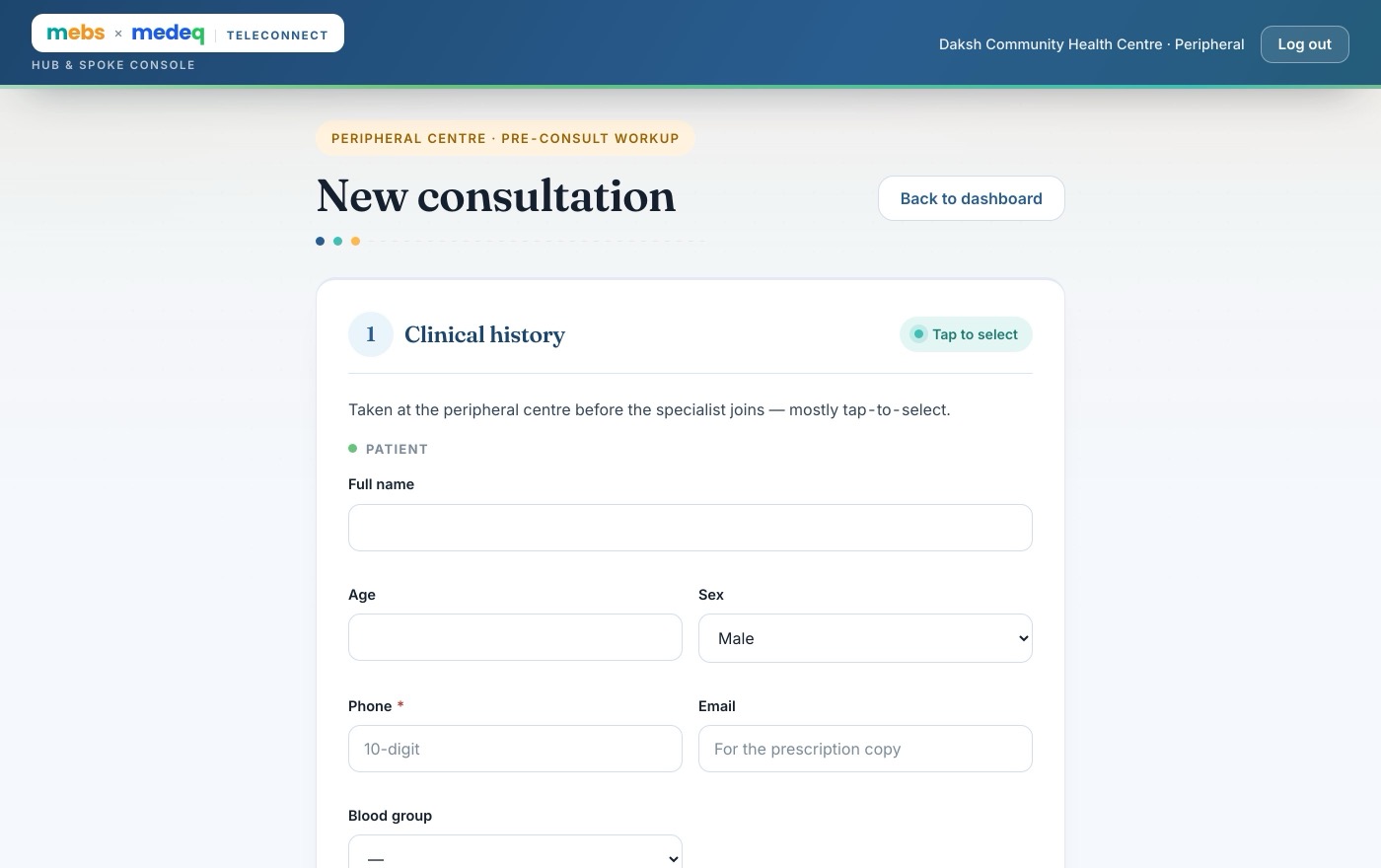
Your hub lists whichever consultants it chooses. A centre sees only your doctors — with the fee, the sitting hours and a live online dot — and pushes the case to whoever is free.
Nobody shares a login and nobody sees another hospital's patients. Access is scoped on the server, not hidden in the browser.
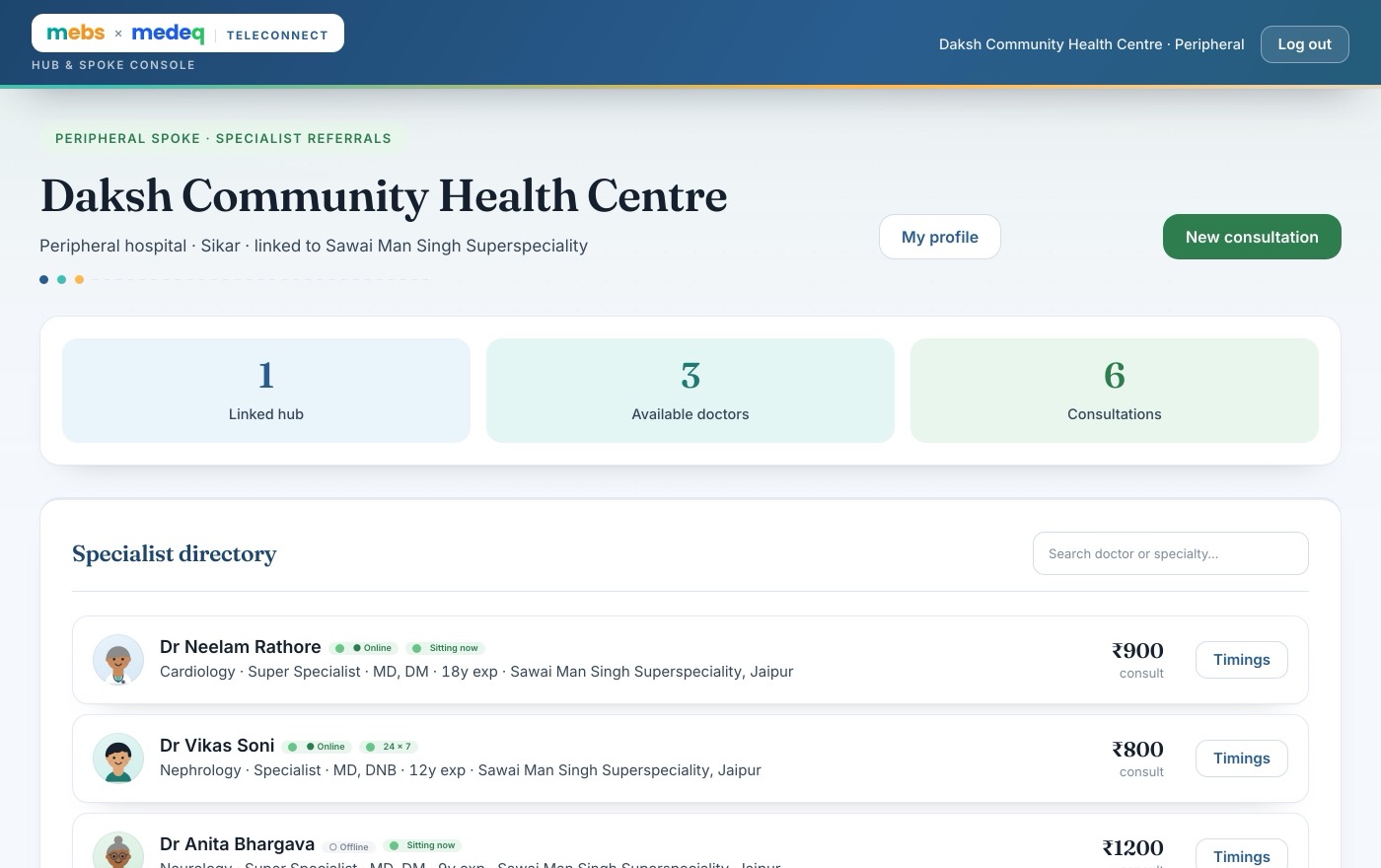
Sees your panel only — fee, sitting hours, online dot — and pushes the case across.
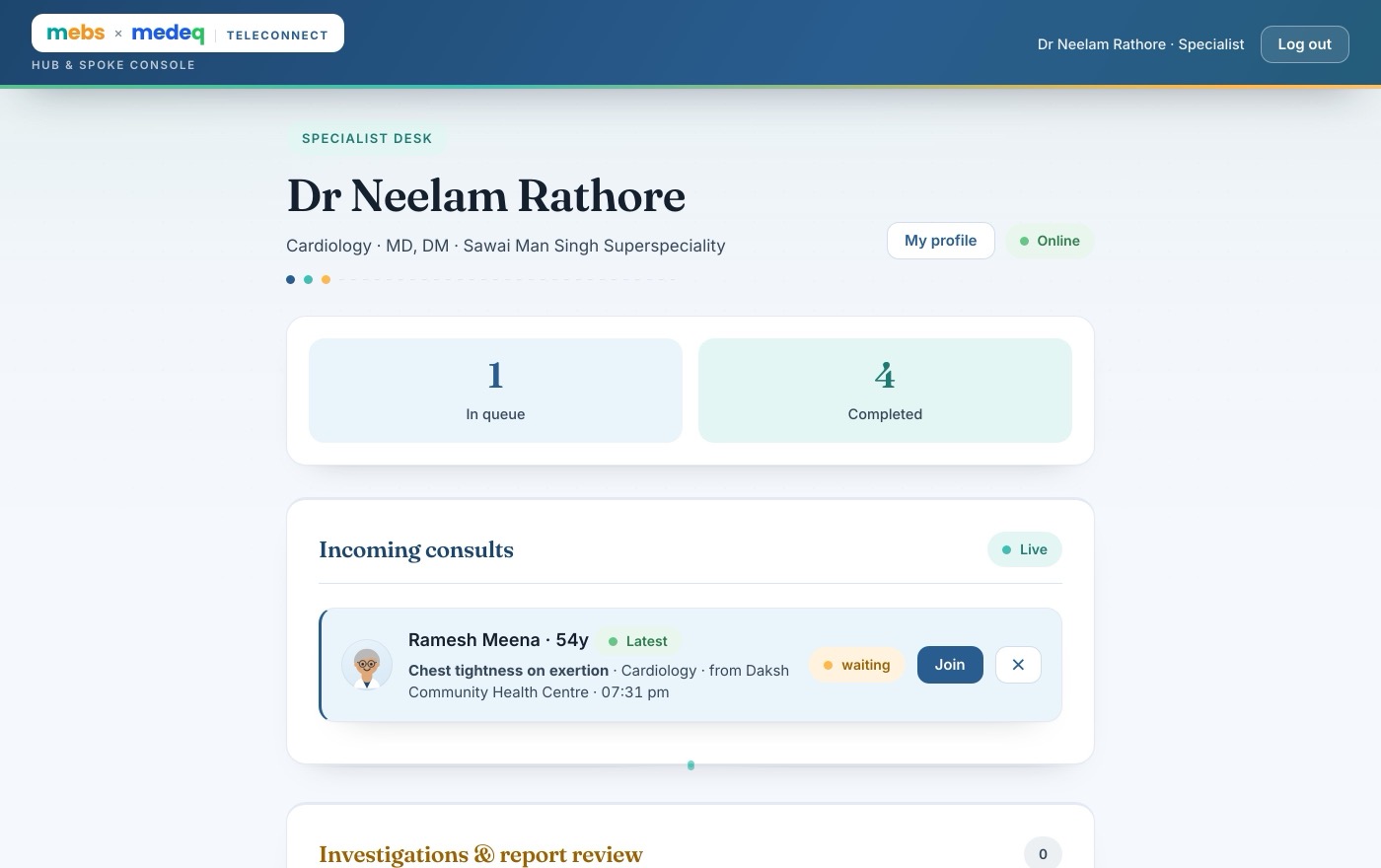
One queue, one login of their own, and only the consults assigned to them.
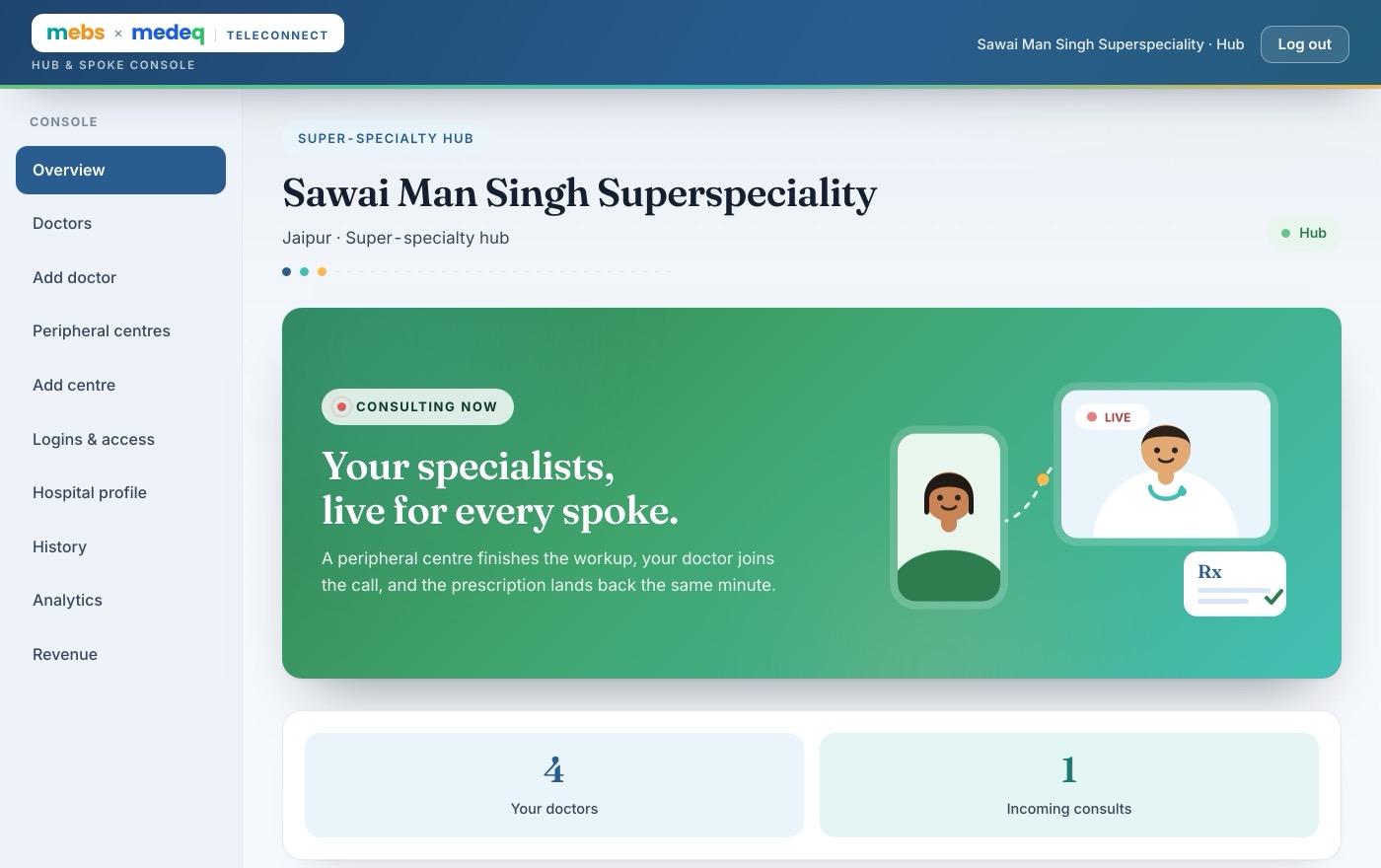
Adds consultants and centres, issues logins, and owns every record on the system.
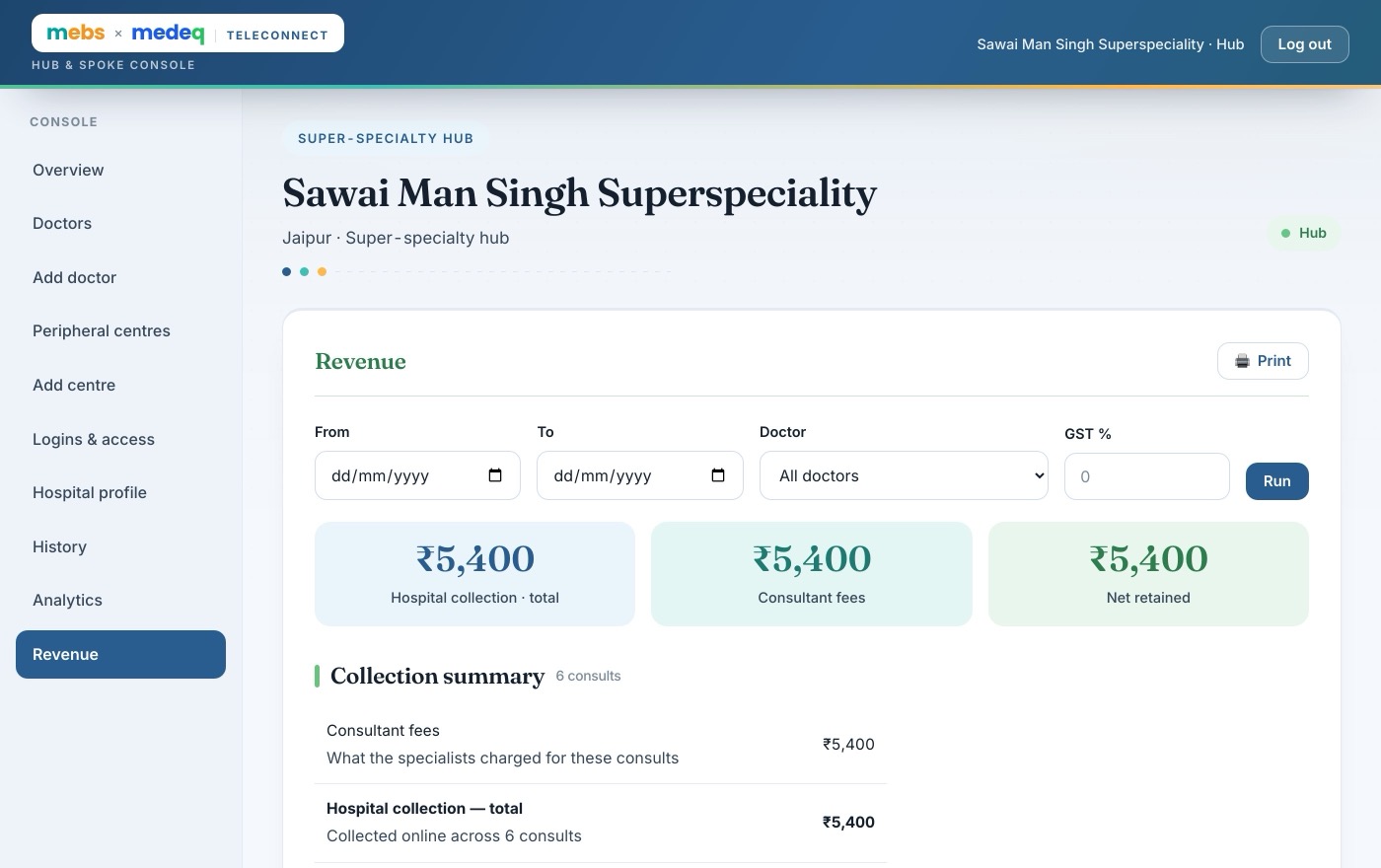
Collections, consultant fees, GST and net retained — per doctor, per centre, printable.
A district clinic shouldn't mean a district-level opinion.
TeleConnect is the wire between the two — your workup, your consultant, your prescription, on your own letterhead. We take nothing from the patient and nothing from your fee.
Not a video-call link with your logo on it. Every part of the referral — the chart, the money, the paperwork, the follow-up — has a place to live, and you own all of it.
Complaint, vitals, history, medications, allergies and uploads captured in four guided steps, so the specialist opens a chart that is already complete.
Browser-to-browser HD video and audio on the hospital's existing connection. No downloads for the patient, no app store, no meeting IDs to read out.
Diagnosis, a medicine builder with dose, frequency, duration and timing, investigations and advice — signed with the specialist's own signature and back at the spoke on save.
You add your consultants, set each one's fee, issue their logins and watch who is online. You also add the peripheral centres — nobody attaches themselves to your network, and a centre only ever sees your panel.
Fees are collected online at the centre, before the specialist is queued, and every rupee sits on the hub's own revenue ledger — per doctor, per centre, with GST backed out and a printable statement.
Set a follow-up interval and the system dates it, flags the call a day ahead, and keeps it on the spoke's list until somebody actually closes it.
The consultation fee is whatever the hub sets for that doctor. It is collected online before the consultation starts, settled to the hospital, and nothing extra is added at the counter.
Register your super-specialty hospital, add your consultants, and add the peripheral centres you already work with. They are onboarded from your console — there is nothing for them to sign up to.
Last updated 14 August 2026 · applies to mebsmedeq.com and the TeleConnect application.
TeleConnect is a hub-and-spoke teleconsultation platform operated by [MedeQ legal entity name] (“we”), in partnership with [mebs legal entity name], at [registered address]. For the purposes of the Digital Personal Data Protection Act, 2023 (DPDP Act), the hospital you consult through is the entity that decides why your health data is processed; we process it on their instructions to provide the platform.
Only what a consultation needs:
We do not run advertising, we do not profile patients, and we do not sell data to anyone.
Video and audio are carried by Tencent RTC and are not recorded by us. Nothing said on the call is stored; only what the doctor writes into the record is kept. The “AI Scribe” button in the doctor's screen is a scripted demonstration — it does not listen to, record, or transcribe anything.
Under the DPDP Act we rely on your consent, taken by the centre before the consultation begins, and on the legitimate uses permitted for medical treatment. Consent covers this consultation, the prescription that follows it, and keeping the record.
Payments are processed by Cashfree Payments, an RBI-authorised payment aggregator. When a patient pays, their card or UPI details go directly to Cashfree over its own encrypted checkout; we receive only the amount, a reference and a success or failure. Cashfree processes that data as its own controller under its privacy policy and the RBI's rules for aggregators.
Access is scoped by role and enforced on our servers, not merely hidden in the app:
A centre can only see its own patients. A doctor can only see consultations assigned to them. One hospital can never see another's.
On Google Firebase (Google Cloud Platform), region [confirm: asia-south1, Mumbai]. Uploaded reports are held in Firebase Storage. We use Firebase App Check and per-record security rules.
Medical records are retained for [3 years] from the date of the consultation, in line with record-keeping expectations for registered medical practitioners, and longer only where a law or a pending dispute requires it. Sign-in and error logs are kept for [180 days].
You may ask for a copy of your data, ask us to correct it, withdraw consent, or nominate someone to act for you. Write to the grievance officer below; we respond within [30 days]. Withdrawing consent does not undo a consultation that has already happened, and we may still have to keep the medical record for the retention period above.
For a patient under 18, consent is given by a parent or guardian, who must be present at the centre. We do not knowingly process a child's data without it.
If personal data is compromised we will notify the Data Protection Board of India and the people affected, as the DPDP Act requires.
If this policy changes materially we will show a notice in the application before the change takes effect.
TeleConnect is used by hospitals, not by patients directly. These terms bind the super-specialty hospital (the hub), the peripheral centre (the spoke) and the registered medical practitioners who sign in. By using the platform you accept them.
We provide software. We do not practise medicine. Every clinical decision — whether to consult, what to diagnose, what to prescribe, whether to call the patient in — is made solely by the treating registered medical practitioner, who remains fully responsible for it. We are not a party to the doctor–patient relationship and we give no medical advice.
TeleConnect must not be used to manage an emergency. Under the Telemedicine Practice Guidelines 2020, telemedicine in an emergency is limited to first aid, counselling and referral. In an emergency, go to the nearest hospital.
Prescriptions must follow the Telemedicine Practice Guidelines 2020. Medicines under Schedule X of the Drugs & Cosmetics Act and narcotic or psychotropic substances under the NDPS Act cannot be prescribed through telemedicine at all, and the platform refuses them. List B medicines are for follow-up consultations. In a first consultation, medicines beyond over-the-counter require video.
The consultation fee is set by the hub for each of its specialists, and the patient pays that fee and nothing more. Our commercial arrangement is with mebs; it is never charged to the patient or added to any bill.
The fee is collected online through our payment gateway into the platform's account, not the hospital's. The hospital's share is then settled to its bank account on the agreed cycle. Until it is settled, that money is held on the hospital's behalf and is shown as owed in the platform's ledger. A centre may also record a payment taken at its own counter, in which case no money passes through us at all.
A receipt is issued to the patient for every consultation, as the Telemedicine Practice Guidelines require.
We aim to keep the service running but do not guarantee uninterrupted availability. Video quality depends on the connection at both ends.
To the extent the law allows, we are not liable for clinical outcomes, for a practitioner's acts or omissions, or for indirect or consequential loss. Our total liability in any twelve-month period is limited to the platform charges received for your hospital in that period.
We may suspend an account that is used unlawfully, that endangers patients, or that lists a practitioner who is not properly registered.
These terms are governed by the laws of India, with courts at [city] having exclusive jurisdiction.
The fee is for a teleconsultation with a registered medical practitioner: the specialist reads the workup sent by the centre, consults the patient live, and issues a prescription. It is charged at the same rate as an in-person consultation at that hospital, and the amount is shown before payment.
A consultation can be cancelled at any point before the specialist joins. Tell the centre that raised it. A consultation cancelled before the specialist joins is refunded in full.
Once the specialist has consulted the patient and issued a prescription, the service has been delivered and the fee is not refundable — the same as walking out of a doctor's room. A refund is also not due because the patient disagrees with the diagnosis, or did not get the prescription they expected. Those are clinical matters; raise them with the hospital, and with the State Medical Council if you wish.
Money paid for investigations at the centre or for medicines at a pharmacy is nothing to do with us — those are the centre's and the pharmacy's own charges.
Ask the centre that raised the consultation, or write to tele@mebsmedeq.com with the patient's name, the date, and the payment reference on the receipt.
We decide within [3 working days]. An approved refund is sent back to the same card, UPI handle or account it came from — we cannot send it anywhere else — and the bank typically credits it within [5–7 working days]. A payment taken at the centre's own counter is refunded by that centre directly.
If a payment is disputed with the bank, we will provide the consultation record, the consent and the prescription as evidence that the service was delivered.
As required by the Information Technology Act, 2000 and the DPDP Act, 2023:
[Name]
Grievance Officer, TeleConnect
[postal address]
grievance@medeq.in · [phone]
Hours: [Mon–Sat, 10:00–18:00 IST]
We acknowledge a complaint within [48 hours] and resolve it within [30 days].
A complaint about a doctor's conduct or clinical decision belongs with the hospital that listed them, and with the State Medical Council the doctor is registered with. Tell us too and we will pass it on and help you reach them, but we cannot adjudicate clinical matters.
If a complaint about your personal data is not resolved to your satisfaction, you may approach the Data Protection Board of India.
Hospitals sign in with email. Doctors sign in with their login ID.
Two minutes, and your consultants can start taking referrals from the centres around you.
A peripheral centre finishes the workup, your doctor joins the call, and the prescription lands back the same minute.
Tick the days this doctor sits and set the times. A centre sees this before it sends you a patient. Leave it blank if they take consults on call.
The centres that refer patients to you. A centre only ever sees your doctors, and you decide who is on the network.
Centres do not sign themselves up. You add them here and hand over the login — they sign in on the same page as everyone else.
Every doctor gets a login ID and password automatically when you add them. The password is only ever displayed once, on the card that appears after you add them — if it was missed or lost, press Reset login here to set a new one. The ID does not change.
This is what your peripheral centres and their patients see, and what prints on the letterhead of every prescription your doctors write.
Our share is not charged to the patient and is invisible to every hospital account. It accrues here, per completed consultation, and is invoiced to mebs.
Fees paid through the gateway land in our account, so every one of them is money we hold for a hospital until we pay it across. Payments a centre took at its own counter never reached us and are not counted here.
When a specialist advises tests, the patient stays here until you upload the reports and the doctor approves the final prescription.
Taken at the peripheral centre before the specialist joins — mostly tap-to-select.
Tap only what is present; anything not tapped is recorded as normal or absent.
The consultation fee is collected online, before the consultation starts. The specialist is only queued once payment is confirmed.
| Consultation fee | ₹0 |
| Amount payable | ₹0 |
Connect the digital microscope over the USB cable and pick it below. What it sees replaces your room camera, so the specialist looks down the lens.
This records that the money left our account. It does not move money — make the transfer in your bank, then log it here.
The doctor signs in on the same page with this Login ID & password to see only their own queue.